NEXSTA: free AI consultant installation for your website — we help you set up and connect
Get free help configuring your AI consultant, installing it on one compatible website and testing its answers. See the process and conditions. Subscription paid separately.
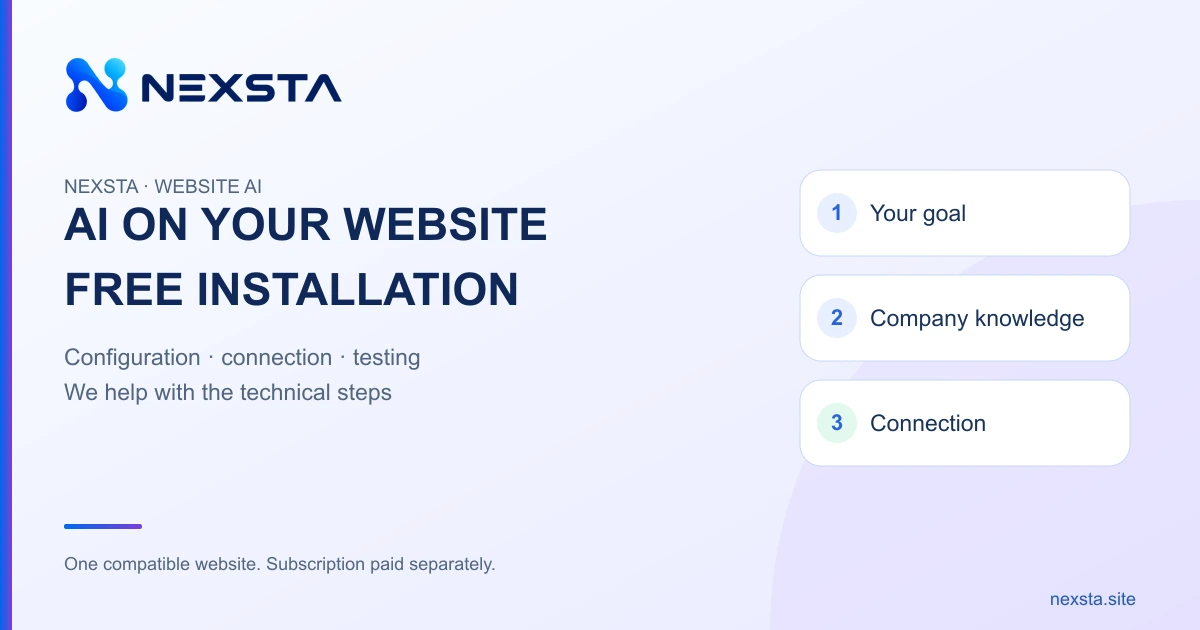
Trying AI in your business does not have to begin with programming. NEXSTA offers free initial assistance, standard configuration and installation of an AI employee on one compatible website. You explain your business and goals; our team helps organise the knowledge, connect the consultant and check its answers. The service subscription is paid separately at current prices.
Why a website needs an AI employee
A visitor may need more than a list of services. They want to understand whether an offer suits their needs, where the conditions are published and what to prepare before contacting the business. When an answer is difficult to find, they must wait for a person or work through a large amount of information themselves.
An AI consultant can discuss these questions using the company's materials. A shop may need explanations of product features and ordering rules; a service business may need help describing its services and preparing an enquiry; an education provider may need programme and course-format information. When the service is available, the consultant can also answer outside the team's working hours.
The role, knowledge and handover rules are set during configuration. The AI should not invent stock availability, exact prices, deadlines or commitments. When a specialist needs to check something, a useful result is a clear next step and a well-formed enquiry. Installation alone does not guarantee sales: outcomes also depend on the business offer, website traffic and how the team handles enquiries.
You do not need to learn programming, Codex or APIs
Business owners do not need to learn Codex, write code, select APIs or understand server infrastructure to request NEXSTA's help. Start by explaining what your company does and what customers ask. Defining the role, preparing materials and placing the widget become practical tasks we work through together.
Self-service remains available: create an AI employee in the workspace, add knowledge and test its answers. Our separate self-installation guide covers that route. This article explains team-assisted initial setup for owners who prefer help with the technical steps.
What the free assistance includes
- Initial discussion of your goal and a check that standard installation is possible on your website.
- Help defining the AI employee's role, typical customer questions and the company information you provide.
- Standard configuration and widget installation on one compatible website.
- Joint checks of answers and the installed widget with the business owner.
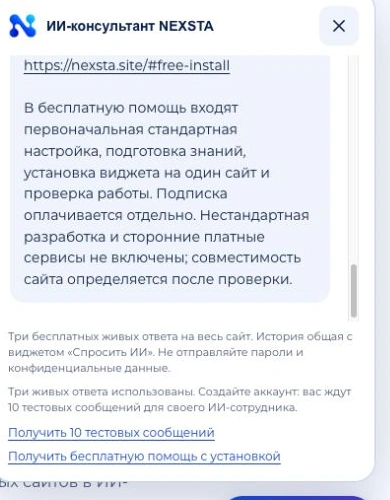
Free assistance does not mean a permanently free subscription. After testing, access to NEXSTA is paid separately under the chosen plan. Custom development, individual integrations and paid third-party services are excluded; their scope and cost require a separate agreement before that work begins.
Compatibility must be checked first. Content-management restrictions, the ability to add code and available installation methods differ. If standard connection is impossible, the team will explain the limitation. Timing depends on the website and the readiness of your materials, so we do not promise one launch deadline for every project.
Four steps from request to a working widget
First, send a request with your website address, phone number, preferred contact method and a short comment. For example: “We need answers about services and help with enquiries.” Passwords, API keys and private correspondence are unnecessary at this stage. Use the free installation form.
Second, prepare knowledge. Supply up-to-date services, products, prices, conditions and common questions. The team helps organise the information and distinguish what the AI may tell visitors from what a person must confirm. Your business materials remain the source of facts; resolve outdated or conflicting conditions before launch.
Third, install the widget. After compatibility is confirmed, the standard connection is made to one website. If access is needed, its method and minimum scope are discussed separately. Do not send passwords through public chat. Bespoke changes are not automatically included in the free service.
Fourth, test. Check a typical question, an incomplete request and a question missing from the knowledge base. Review clarity, unsupported claims, desktop and phone usability, and where enquiries arrive. Repeat the relevant checks after corrections and continue supervising real enquiries after installation.
Try AI on the NEXSTA website
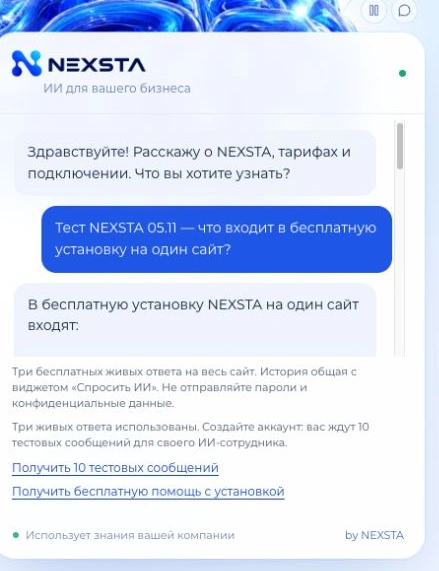
Ask a question in the large homepage chat or choose “Ask AI”. These are two entrances to one guest conversation: history continues between pages and there are three free live replies across the website, including the live examples demo. Opening the second window does not create another three-question allowance.
Type your question or use the microphone. After recording, the recognised text appears in the input field for review and editing before you send it. Your browser needs your permission to use the microphone. Do not submit passwords, payment details or confidential documents in the demo.
The Examples page contains 12 industry scenarios and prepared conversations. These illustrate an approach; your actual business facts are added during configuration. Registration provides the existing 10 test messages for checking your own AI employee without activating a paid plan.
Prices after testing
At publication, the website lists these monthly plans in Russian rubles:
- Mini — RUB 5,900 per month, 500 AI requests.
- Start — RUB 9,900 per month, 2,000 AI requests.
- Business — RUB 19,900 per month, 5,000 AI requests.
- Maximum — RUB 34,900 per month, 10,000 AI requests.
One subscription covers one AI employee. One incoming visitor question counts as one AI request; internal API calls do not represent additional customers or orders. Review current knowledge limits, billing periods and access conditions on the pricing section and in the workspace. Free installation does not change prices, billing or existing subscription terms.
Request your free installation
Open the free setup assistance form, enter your website and a contact number. Describe your sector, the consultant's task and whether your service descriptions and price list are ready. The form displays a reference once delivery is confirmed. If delivery remains unconfirmed, follow its message and avoid duplicate submissions.
Start with your own question and a focused business task. NEXSTA's team helps with the technical steps while you check how well the answers fit your business before choosing a paid plan. Service terms and prices checked on 5 November 2026.